Random tattoo ideas

Tattoo Idea Generator

Shuffle a motif, a style and a body placement. Each combination shows a real design from the gallery; lock what you like and shuffle the rest.

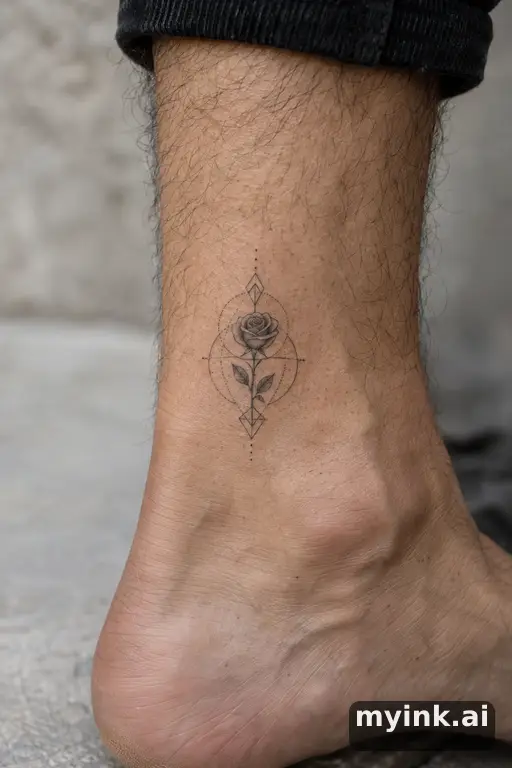
  • Motif Rose
  • Style Geometric
  • Placement Ankle
Tiny rose — Geometric Small Tattoo reference image
A real geometric rose design tagged for the ankle. AI-generated inspiration, not a customer tattoo
Continue in studio Try it on More rose ideas →

Opening the studio is free; a round of 4 directions uses 4 credits.

Want to browse instead? See all tattoo ideas or the inspiration gallery.

How the idea generator works

  1. 01

    Shuffle

    Each press draws a new motif, style and placement and finds the closest real design in the gallery.

  2. 02

    Lock what you like

    Keep the motif, the style or the placement and shuffle only the rest, until the combination feels like yours.

  3. 03

    Open the studio form

    Send the idea to the free studio form, edit its preferences, then choose whether to create a round. A round of 4 directions costs 4 credits.

Free to open and fill in. A round of 4 directions costs 4 credits, and your 8 free credits cover two rounds.

Why a random combination helps

Most people who are stuck on a tattoo idea are not short of subjects; they are stuck on how to combine them. A rose is a different tattoo as a bold traditional piece on the shoulder than as a single fine line on the wrist. Changing one dimension at a time — keeping the motif and trying another style, or keeping the style and moving it somewhere else — is often how an idea clicks.

Every combination shows a real design from the gallery. When the gallery has a design with the exact motif, style and placement, you see that one; otherwise the generator shows the closest it has — same motif and style first, then same motif — and says so under the image, so you always know how close the match is.

From a random idea to your own

A combination is a starting point, not a tattoo. When one feels close, press Continue in studio: the studio opens with the motif, style and placement already filled in, and you can add what makes it personal — a name, a date you would rather hide in the design, the reason behind it. Add an approximate size or color preference, and check any exact lettering under Text & details before pressing Create.

If you want to browse rather than shuffle, the ideas pages collect designs by subject, the style pages by style, and the inspiration gallery shows everything with style and placement filters.

Frequently Asked Questions

How does the tattoo idea generator work?
It draws a random motif, style and body placement, then shows the closest real design from the MyInk gallery for that combination. Lock any part you like and shuffle the rest.
Are these real tattoos?
They are AI-generated inspiration from the MyInk gallery, not photos of customer tattoos. Each image is labelled with how closely it matches the combination you drew.
Can I keep the motif and change only the style?
Yes. Lock the motif (or any other part) and press Shuffle; only the unlocked parts change.
What happens when I press Continue in studio?
The studio opens with your combination filled in. Editing the form is free; generating 4 directions costs 4 credits, and new accounts start with 8 free credits.
Where can I browse more tattoo ideas?
The ideas pages group designs by subject and placement, each style has its own gallery, and the inspiration gallery lists every design with style and placement filters.